
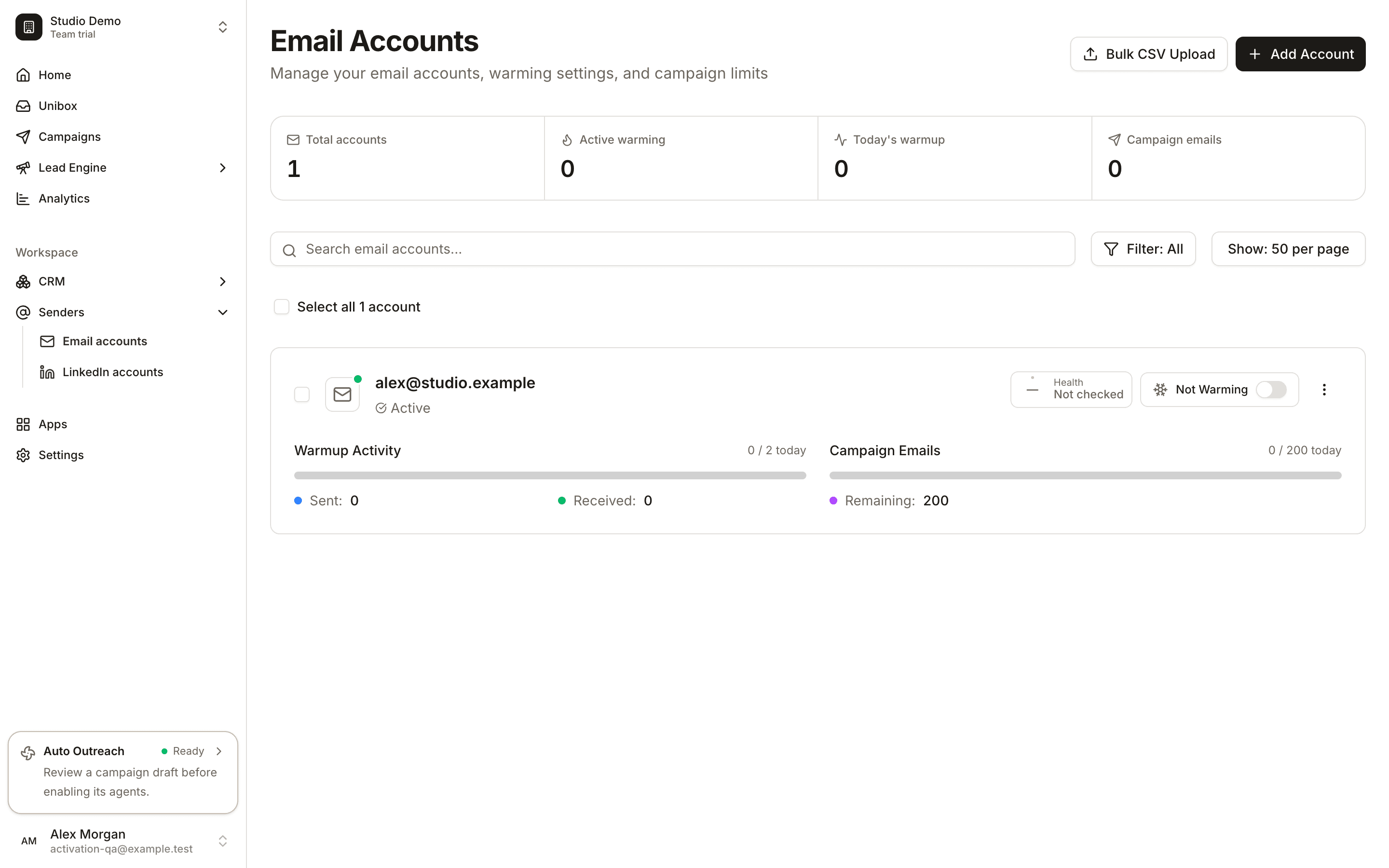
Warmup and campaign activity, side by side.
The current Email Accounts screen keeps warmup status, sent and received activity, campaign usage and sending limits together. This synthetic mailbox has warmup turned off; no delivery result is implied.
Make the next step clear.
Use the mailbox you connect
Keep your sending accounts and warmup settings in the same workspace.
Review actual activity
See the warmup activity recorded for each account rather than assuming a toggle means messages have been delivered.
Check mailbox health
Inspect the available DNS and mailbox health findings before relying on an account for a campaign.
Control your sending pace
Review campaign usage and limits alongside warmup, and adjust your setup as your outreach changes.
A practical workflow.
Connect a mailbox
Add your account through the supported provider or IMAP/SMTP connection flow.
Review its settings
Open the mailbox controls and check warmup, connection state and sending limits.
Monitor before scaling
Watch activity and delivery signals. Improve list quality and copy as well as account setup.